
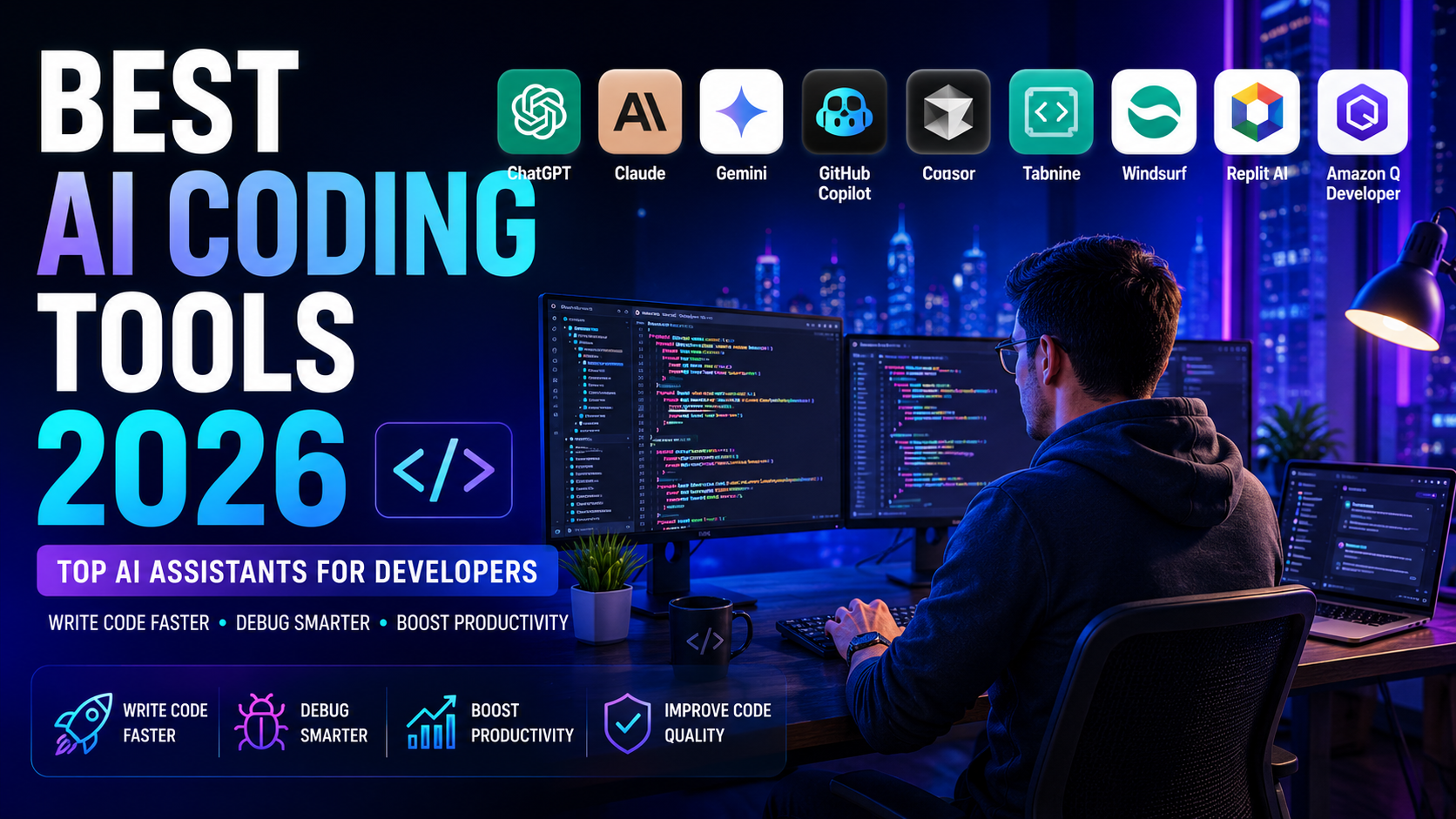

Best AI Coding Tools 2026: Compare the Top AI Coding Assistants
AI coding tools have changed how developers write, debug, test, and maintain software. In 2026, AI assistants can do far more than suggest lines of code: they can understand project context, generate and refactor code, explain errors, and help developers work through complex programming tasks.
This guide compares the Best AI Coding Tools 2026 to help developers choose the right coding assistant for their workflow.
But choosing the right AI coding assistant is not simply about finding the tool with the most features. The best choice depends on your programming workflow, preferred IDE, experience level, project size, budget, and the type of development work you do.
In this guide, we compare the best AI coding tools in 2026, including their key features, strengths, limitations, pricing approach, and ideal use cases. Our goal is to help developers quickly identify the Best AI Coding Tools 2026 that best match their needs rather than simply choosing the most popular option.
You can also learn more about how we evaluate AI tools before making a decision.
What Are AI Coding Tools?
AI coding tools are software applications that use artificial intelligence to help developers write, understand, test, debug, and improve code. Instead of relying only on traditional programming methods, these tools can analyze code, generate suggestions, explain errors, and assist with common development tasks.
Modern AI coding assistants support a wide range of programming languages, including Python, JavaScript, Java, C++, PHP, Go, and Rust. They can be useful for many types of projects, from websites and mobile applications to APIs, automation, and enterprise software.
The best AI coding tools in 2026 go beyond simple code completion. Many can understand project context, generate or refactor code, assist with debugging, explain complex code, create documentation, and integrate directly into popular development environments such as Visual Studio Code and JetBrains IDEs.
Top 10 Best AI Coding Tools in 2026
Choosing the right AI coding assistant can dramatically improve your development workflow. Whether you’re building websites, mobile applications, APIs, or enterprise software, AI-powered tools can help you write cleaner code, debug faster, generate documentation, and boost overall productivity.
After comparing dozens of AI coding assistants, we selected the 10 best coding tools available in 2026 based on code quality, supported programming languages, AI capabilities, pricing, ease of use, integrations, and developer experience.
The following comparison will help you quickly identify the best solution for your needs, whether you’re a beginner, freelance developer, software engineer, or part of a professional development team.
1. ChatGPT
ChatGPT by OpenAI is one of the most powerful AI coding assistants available in 2026. Built on advanced language models, it helps developers write code, explain complex algorithms, debug errors, refactor projects, generate documentation, and learn new programming languages faster.
Whether you’re building websites, mobile applications, APIs, automation scripts, or enterprise software, ChatGPT supports dozens of programming languages, including Python, JavaScript, TypeScript, Java, C++, C#, PHP, Go, Rust, and SQL.
Its conversational interface makes it ideal for brainstorming solutions, fixing bugs, optimizing performance, and understanding unfamiliar code. Thanks to its accuracy, speed, and versatility, ChatGPT is an excellent choice for beginners, professional developers, and software engineering teams looking to boost productivity.
Key Features
• Powered by the latest OpenAI language models
• Supports Python, JavaScript, Java, C++, C#, PHP, Go, Rust, SQL, and more
• Intelligent code generation and completion
• Advanced debugging and error explanation
• Code optimization and refactoring suggestions
• Documentation and comment generation
• Natural language programming assistance
• Available on Web, Desktop, and Mobile
Pros
- Outstanding AI-powered code generation and intelligent code completion.
- Supports dozens of programming languages, including Python, JavaScript, Java, C++, C#, PHP, Go, Rust, and SQL.
- Excellent at debugging, explaining complex code, and suggesting improvements.
- Generates documentation, comments, unit tests, and code snippets quickly.
- Easy-to-use interface suitable for beginners and experienced developers alike.
- Available on Web, Desktop, and Mobile with seamless synchronization.
- Continuously updated with the latest OpenAI models and new AI capabilities.
Cons
- Some advanced features require a paid ChatGPT Plus or Pro subscription.
- Occasionally generates inaccurate or outdated code that requires manual review.
- May struggle with very large or highly specialized enterprise codebases.
- Requires an internet connection for most AI-powered features.
- Can sometimes produce repetitive or overly verbose explanations.
ChatGPT Pricing
ChatGPT offers flexible pricing plans designed for individuals, professionals, and businesses. The free version provides access to essential AI capabilities, while paid plans unlock more advanced models, higher usage limits, faster response times, and additional productivity features.
Below is a quick overview of the available plans:
| Plan | Price | Best For |
|---|---|---|
| Free | $0/month | Beginners and casual users |
| ChatGPT Plus | $20/month | Professionals and developers |
| ChatGPT Pro | Higher-tier plan | Power users and businesses |
Note: Pricing and plan availability may change over time. Please visit the official OpenAI website to verify the latest pricing, features, and subscription plans before making a purchase decision.
ChatGPT Alternatives
While ChatGPT is one of the most popular AI coding assistants, it is not the only option available. Different developers have different needs, whether it’s tighter IDE integration, stronger code completion, enhanced privacy, or enterprise-grade collaboration.
Fortunately, several excellent alternatives provide unique strengths for software development. The following AI coding assistants are among the best choices in 2026 and compete directly with ChatGPT in terms of productivity, code quality, and developer experience.
GitHub Copilot
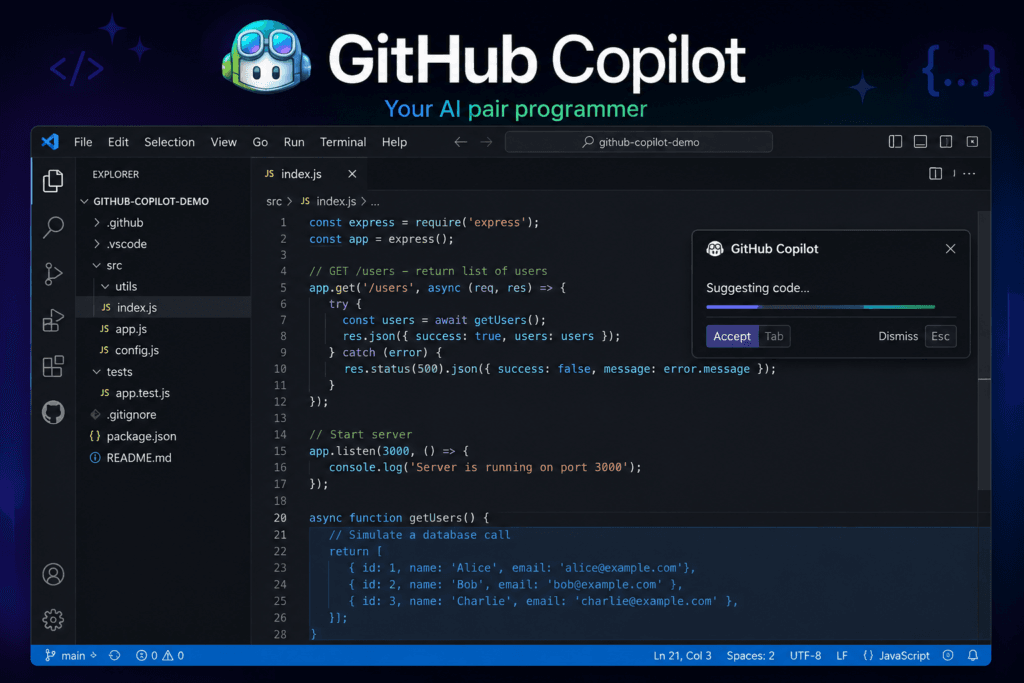
GitHub Copilot is one of the most widely used AI coding assistants, developed through the collaboration between GitHub and OpenAI. It integrates directly into popular IDEs such as Visual Studio Code, Visual Studio, and JetBrains, providing intelligent code suggestions as you type.
Copilot excels at code completion, function generation, test creation, and repetitive coding tasks, making it an excellent choice for professional software developers.
Key Features
- AI-powered code completion and real-time code suggestions.
- Seamless integration with Visual Studio Code, Visual Studio, and JetBrains IDEs.
- Supports dozens of programming languages and frameworks.
- Generates functions, tests, and repetitive code automatically.
- Context-aware suggestions based on your existing codebase.
- Built-in chat assistant for coding questions and debugging.
- Regular updates with new AI capabilities and improved performance.
Pros
- Excellent AI-powered code completion that speeds up development.
- Deep integration with Visual Studio Code, Visual Studio, and JetBrains IDEs.
- Supports multiple programming languages and frameworks.
- Generates functions, tests, and repetitive code automatically.
- Context-aware suggestions based on the current project.
- Improves developer productivity and reduces repetitive tasks.
- Continuously updated with new AI features and improvements.
Cons
- Requires a paid subscription after the free trial period.
- Works best with supported IDEs and GitHub workflows.
- AI suggestions may occasionally require manual review.
- Can generate inefficient or insecure code if prompts lack context.
- Less effective for highly specialized or proprietary codebases.
- Requires an internet connection for AI-powered features.
GitHub Copilot Pricing
GitHub Copilot offers flexible pricing plans for individual developers, teams, and enterprises. A free trial is available for new users, while paid plans unlock advanced AI coding features, team collaboration, and enterprise-grade security. Below is a quick overview of the available plans.
| Plan | Price | Best For |
|---|---|---|
| Free | Free | Students and beginners exploring AI coding |
| Pro | $10/month | Individual developers and freelancers |
| Business | $19/user/month | Development teams and companies |
| Enterprise | Custom pricing | Large organizations with advanced security needs |
Note: Pricing and plan availability may change over time. Please visit the official GitHub Copilot website to verify the latest pricing, features, and subscription options before making a purchase decision.
Cursor AI
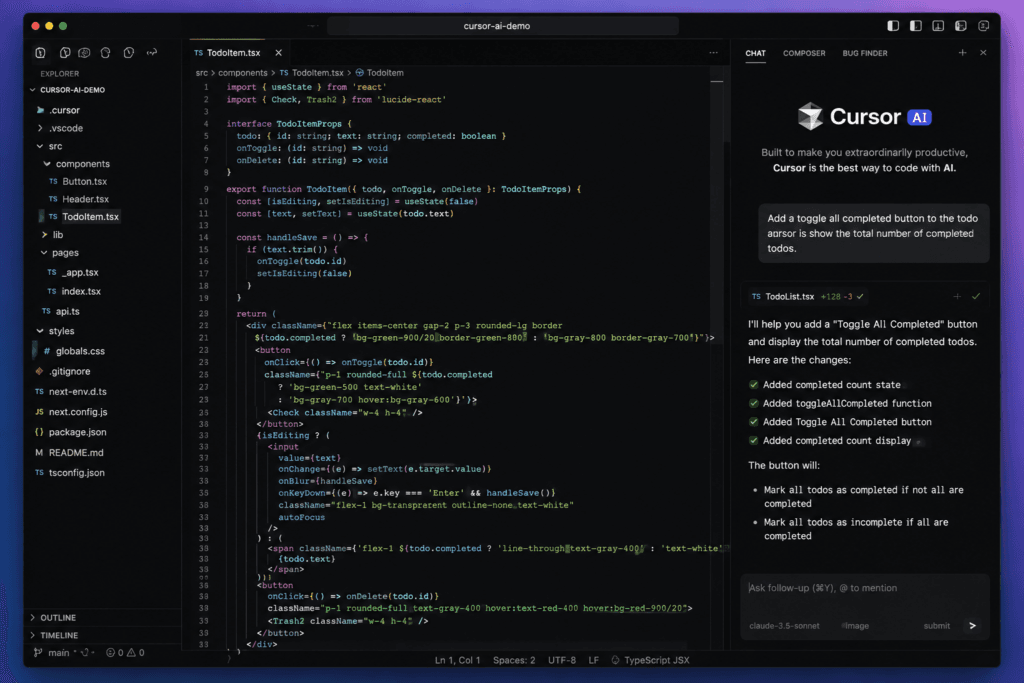
Cursor AI is a modern AI-powered code editor built on Visual Studio Code. It is designed to help developers write, edit, debug, and understand code more efficiently by integrating advanced AI capabilities directly into the development environment.
Cursor AI supports natural language coding, intelligent code completion, project-wide code understanding, and AI-assisted refactoring. Whether you’re working on web applications, APIs, or large software projects, Cursor AI helps reduce repetitive tasks and improve overall development productivity.
Key Features
Cursor AI offers a powerful set of AI-driven features designed to make software development faster, smarter, and more efficient. Here are the key capabilities that make Cursor AI one of the best AI coding tools in 2026:
- AI-powered code completion with context-aware suggestions.
- Natural language editing using simple text prompts.
- Smart code refactoring and automated bug detection.
- Project-wide code understanding across multiple files.
- Built-in AI chat for coding assistance and debugging.
- Compatible with popular programming languages and frameworks.
- Fast performance with a familiar Visual Studio Code interface.
Pros
Cursor AI provides a wide range of advantages that help developers write cleaner code, increase productivity, and simplify complex programming tasks. Here are the main benefits of using Cursor AI in 2026:
- AI-powered code completion with intelligent contextual suggestions.
- Natural language editing using simple prompts.
- Smart code refactoring and automated bug fixing.
- Project-wide code understanding across multiple files.
- Built-in AI chat for coding assistance and debugging.
- Compatible with popular programming languages and frameworks.
- Familiar Visual Studio Code interface with enhanced AI capabilities
Cons
While Cursor AI is a powerful coding assistant, it also has a few limitations that developers should consider before choosing it as their primary AI coding tool. Here are the main drawbacks of Cursor AI in 2026:
- Some advanced AI features require a paid subscription.
- Performance may decrease when working with very large projects.
- AI-generated code should always be reviewed before production use.
- Limited offline functionality because many features require an internet connection.
- May consume more system resources than a standard code editor.
- Some advanced customization options are still limited compared to Visual Studio Code.
Cursor AI Pricing
Cursor AI offers flexible pricing plans for students, individual developers, and professional teams. Whether you’re exploring AI-assisted coding or building production software, Cursor AI provides plans to match different needs and budgets. Below is a quick overview of the available plans:
| Plan | Price | Best For | Key Features |
|---|---|---|---|
| Free | Free | Students & beginners | Limited AI completions, basic code generation, community support |
| Pro | $20/month | Individual developers | Unlimited AI requests, premium models, faster responses, advanced code assistance |
| Business | $40/user/month | Development teams | Team management, shared settings, enhanced privacy, collaboration features |
| Enterprise | Custom pricing | Large organizations | Enterprise security, SSO, centralized administration, dedicated support |
Note: Pricing and plan availability may change over time. Please visit the official Cursor AI website to verify the latest pricing, features, and subscription options before making a purchase decision.
Final Verdict
Cursor AI is one of the most advanced AI-powered coding assistants available in 2026. Its intelligent code completion, natural language editing, project-wide understanding, and developer-friendly interface make it an excellent choice for programmers of all skill levels. While some advanced features require a paid subscription, the overall value, productivity gains, and continuous improvements make Cursor AI a highly recommended tool for modern software development.
Our Rating
| Category | Rating | Comments |
|---|---|---|
| AI Features | 5.0 / 5 | Advanced code completion, AI chat, code editing, and project understanding. |
| Ease of Use | 5.0 / 5 | Simple interface based on Visual Studio Code with a minimal learning curve. |
| Performance | 5.0 / 5 | Fast response times and excellent coding assistance. |
| Pricing | 4.5 / 5 | Good value, although advanced features require a paid subscription. |
| Security & Privacy | 4.5 / 5 | Strong privacy options with enterprise-grade security features. |
| Overall Score | 4.9 / 5 | One of the best AI coding assistants available in 2026. |
Overall Verdict
Best AI Coding Tools 2026 continue to redefine software development by offering exceptional AI-powered coding assistance, outstanding performance, and an intuitive Visual Studio Code-based interface. Among the Best AI Coding Tools 2026, Cursor AI stands out thanks to its productivity features and continuous improvements, making it an excellent choice for developers of all experience levels.